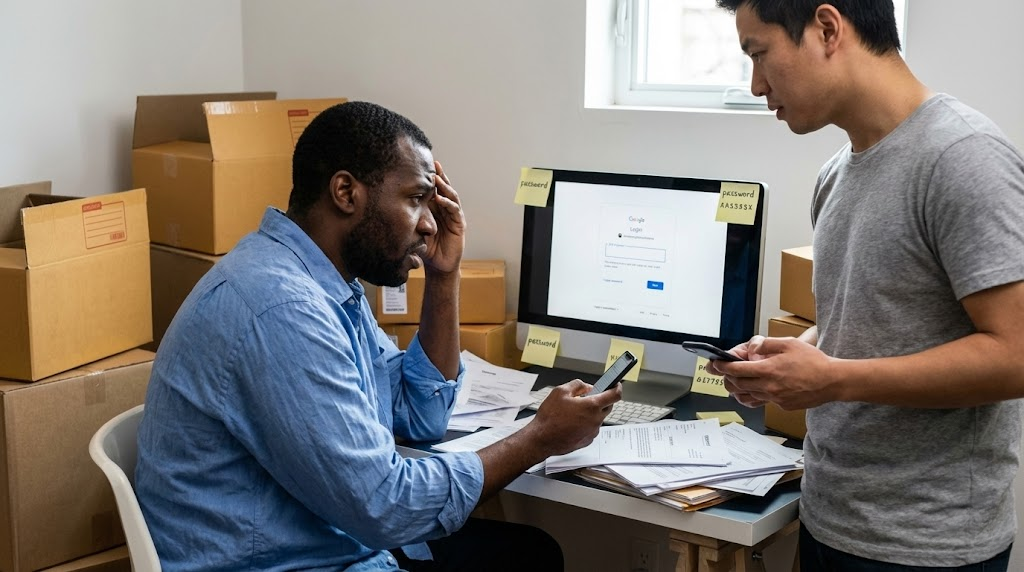
The Monday Morning Crisis
If you share your inbox by handing out your password and texting 2FA codes to whoever needs in, you have a security hole, not a system. Google Workspace email delegation is the fix: it lets an assistant read, send, and manage email from your account without ever knowing your password or touching your second factor. You remove their access in one click.
It is 9:03 AM on a Monday.
You are already ten minutes behind schedule. The waiting room is beginning to buzz with that specific morning energy that promises a long day. You finally sit down to review a patient file, and your personal cell phone vibrates against the desk.
It's a text from your remote administrative assistant.
"Hey, Google logged me out again. Can you send the code? Urgent client email."
You sigh. You have to put down the file. You have to unlock your phone. You have to wait for the text to arrive. You have to type out the six digits and send them back.
That is five minutes of productivity you are never getting back.
If this scene feels uncomfortably familiar, you are not alone. It appears that a vast number of managers and small business owners are trapped in this exact cycle. They need help managing an overflowing inbox, so they choose what looks like the path of least resistance.
They share the password.
While this might solve the immediate problem of "who answers the phone," it creates a mess that puts your entire business infrastructure at risk. There is a better way to do this. It is called Email Delegation, and if you are paying for Google Workspace, you already have it.
The "Shared Password" Trap
When you hand over a username and password, you aren't just letting someone read your emails. You are handing over the keys to your digital soul.
We tend to think of our Google login as just "email," but that is a dangerous oversimplification. Your Google account is the central identity for everything. It is your Drive documents. It is your Google Photos. It is your location history in Maps. It may even be the "Sign in with Google" key to your HR software or bank portal.
Giving an assistant full credentials is like giving a dog walker your house key, but that key also happens to open your safe, start your car, or vacation home.
It creates a situation where you have zero control.
If everyone logs in as "admin@yourcompany.com," you have no audit trail. You have no way of knowing who archived that important thread from the insurance company. Was it you? Was it the new hire? Was it a glitch? You will never know.
It also forces you to engage in the "2FA Dance."
Two-Factor Authentication is designed specifically to stop people from logging in on unrecognized devices. By sharing passwords, you are actively fighting against the security systems designed to protect you. You are training your staff that security warnings are just annoyances to be bypassed, rather than critical alerts.
The Solution: Email Delegation
Google Workspace has a feature built specifically for this scenario. It allows you to grant another user access to your inbox without ever revealing your password.
Think of it as issuing a duplicate key that only opens the front door.
When you set up email delegation, your assistant logs into Google using their own secure credentials. They verify their own identity on their own device. Once they are in, they click on their profile icon, and they'll see your email address listed as a delegated account.
They click it. It opens in a separate tab. They can now read, reply, and manage your email.
Why Delegation Beats Sharing Every Time
Making the switch to email delegation changes the dynamic of your office security instantly.
It Restores Accountability
When a delegate sends an email from your account, the recipient generally sees it as coming from you. However, Google keeps a strict record on the backend. The header information often reads "Sent by [Assistant Name] on behalf of [Your Name]." If something goes wrong, you can trace exactly who took the action.
It Makes Offboarding Painless
This is the part that keeps business owners awake at night. If an employee leaves on bad terms and they have your password, you must rush to reset your credentials immediately. This triggers a cascading effect where dozens of connected services and applications suddenly require new passwords, forcing you to spend hours updating credentials and re-authenticating into every platform that relied on that login. Or even worse, you forgot you even gave it to them.
With email delegation, you simply go into your Gmail settings and click "Delete" next to their name. Their access is revoked instantly. You don't change your password. You don't reset your 2FA. You just take back the key.
It Protects Your Privacy
Email delegation is strictly for email and contacts. It does not grant access to your Google Drive, your YouTube history, or your saved passwords. You can have someone manage your schedule and your inbox without letting them see your private drafts or sensitive financial documents stored in Drive.
The Psychology of "Letting Go"
It seems that the biggest barrier to adopting this system isn't technical difficulty. It is a mindset issue.
We share passwords because it feels "open" and "trusting." We feel like we are removing barriers for our team. But in reality, we are creating a bottleneck that relies entirely on our ability to forward verification codes.
Shifting to email delegation requires a few minutes of setup. You have to go into the Settings menu, find the Accounts tab, and locate "Grant access to your account." It takes perhaps three minutes.
Compared to the cumulative hours lost to texting codes and the potential disaster of a compromised primary account, this is a trade-off that pays for itself almost immediately.
Pro Tip
Setting up email delegation takes less than 3 minutes and can save hours of work each week. However, email delegation is configured in each user's mailbox individually. As an admin, you don't want to sign into everyone's mailbox or be delegated to everyone. Contact NeuGenity to discover how to manage it all from a single mouse click.
Stop the Chaos Today
If you are still operating your business by texting codes to your staff, it is time to modernize.
Your inbox should be a tool that helps you serve your patients or clients, not a source of daily friction. By setting up email delegation, you empower your staff to do their jobs without compromising the security of your entire digital life. A bonus of email delegation is that your IT Staff will love you for it.
Secure your company. Keep your passwords to yourself. Let your team work.
Need help setting this up or want to ensure your Google Workspace is configured properly? Schedule a call with us to discuss your specific security needs.
Frequently Asked Questions
Answered by Christopher Samuels · Google Workspace Certified Administrator · NeuGenity
No, this is not possible. A delegate has limited rights. They can read and send email, but they cannot access your account settings, change your password, or modify your recovery information. You remain the primary owner of the account at all times.
Yes, to the external recipient, the email appears to come from your name and email address. However, inside your organization's logs, the system retains the information that it was sent by the delegate, ensuring you have a clear internal audit trail.
It creates some friction on mobile. The Gmail mobile app has limited support for delegated accounts compared to the desktop experience. Most delegates find it efficient to manage the inbox via a desktop browser, though some third-party mobile apps can handle delegation better than the native one.
Want to Secure Your Google Workspace?
Our 70-point security assessment covers email delegation, 2FA configuration, access controls, and more to keep your business data safe.