Google Workspace Gmail vs Personal Gmail: What's the Difference?
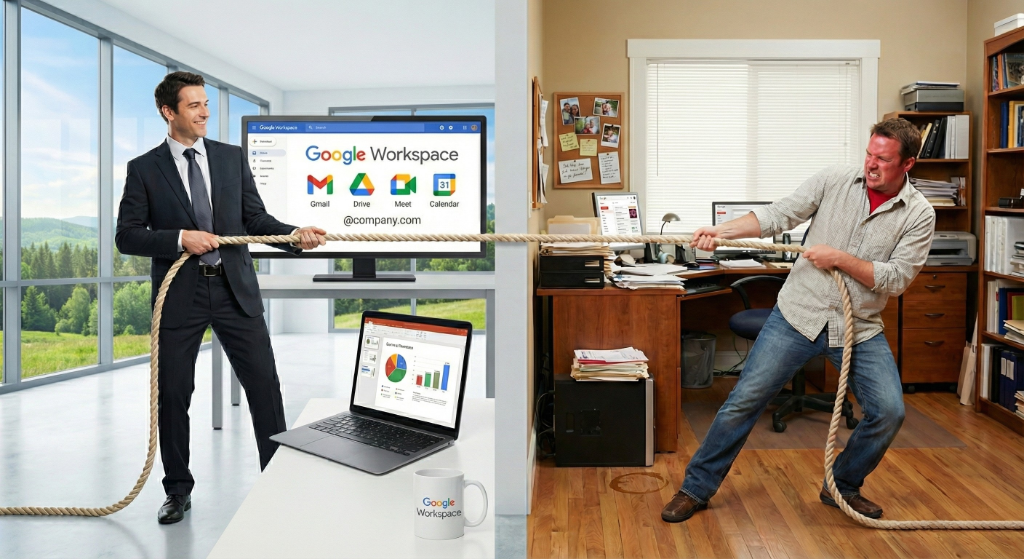
Personal Gmail and Google Workspace Gmail look almost identical, but the difference that matters is control. With free Gmail, the account belongs to the person who created it, so the business has no say over its own email or the data inside it. Google Workspace puts every account and mailbox under the company's control and gives administrators the security and oversight tools a business actually needs. For files, ownership depends on where they live: anything kept in a Shared Drive is owned by the company outright, while files in an individual's My Drive stay tied to that person's account until an administrator transfers them.
Starting a business often involves minimizing overhead. New ventures frequently utilize free tools to reduce immediate expenses. Consequently, many small companies begin operations using free Gmail accounts. This approach allows for immediate communication without a monthly subscription fee.
However, as an organization matures, the infrastructure supporting the startup phase often becomes a significant liability. The limitations of a free account extend beyond storage capacity; they fundamentally compromise data ownership and security architecture.
Understanding the technical and administrative differences between a personal @gmail.com address and a managed Google Workspace environment is essential for securing business assets.
The Structural Difference: Personal Accounts vs. Managed Infrastructure
While the user interface of a free Gmail inbox looks nearly identical to a professional one, the architecture running behind the scenes is fundamentally different.
Free Gmail operates on a Consumer Model. It is designed for a single individual to manage their private life. In this structure, every account is an island. Settings, security configurations, and storage are isolated to that specific user. There is no overarching control panel; the user is the sole administrator of their own experience.
Google Workspace operates on an Enterprise Model. It introduces the Admin Console, a centralized command center that sits above all user accounts. This allows a business to configure settings, enforce security protocols, and manage software integrations for the entire company from a single dashboard. Instead of relying on individuals to update their own security settings, the organization enforces them globally.
This shift from "individual control" to "organizational control" is the technical foundation for the most significant risk facing business owners.
Business Data Ownership and Employee Offboarding
The most critical distinction between the two platforms is legal rather than technical.
In a free Gmail account, the individual user owns the data. If a staff member creates practice.admin@gmail.com to manage scheduling, they retain ownership of that account. Should that professional relationship end, the business possesses no legal right to demand access credentials. The former employee leaves with client lists, patient intake forms, and sensitive correspondence. There is no administrative "reset password" function for the business owner.
In Google Workspace, the business controls the account, so its data stays recoverable. The organization retains full administrative control. When a staff member leaves, an administrator can suspend the account immediately, revoke access, and transfer their mail and My Drive files to a manager before the account is closed. Anything kept in a Shared Drive was owned by the company from the start, so it never belonged to the departing employee and never leaves with them. The catch is files sitting in someone's personal My Drive, which have to be transferred before the account is deleted, and that is exactly why NeuGenity sets businesses up on Shared Drives instead of scattering files across individual accounts.
As we covered in our article about why using personal email hurts business security, data ownership is not just a technical issue; it's a business survival issue.
Google Workspace Storage Limits and Custom Domains
Beyond ownership, the infrastructure capabilities differ significantly, directly impacting operational efficiency.
Storage Capacity
Free Gmail: Storage is capped at 15 GB. This space is shared across Gmail, Google Drive, and Google Photos. For a business handling high-resolution images, large PDF contracts, or medical records, this limit is reached rapidly. Once full, users are often forced into a difficult choice: delete valuable business history to receive new emails or pay for storage add-ons. If you are paying for extra storage anyway, the "free" service is no longer free; it is just a paid service with fewer features.
Google Workspace: Plans typically start at 30 GB per user and scale up to 2 TB or 5 TB on standard and plus plans. This capacity provides the necessary infrastructure for long-term record retention and compliance.
Professional Identity
Free Gmail: Addresses inevitably end in @gmail.com. This can signal a temporary operation to potential clients.
Google Workspace: Utilizes custom domains (e.g., @yourcompany.com). This authenticates the sender's identity and establishes professional credibility.
Advanced Security Features and Endpoint Management
For businesses handling sensitive data, security protocols are not optional features; they are often compliance requirements.
Endpoint Management: Google Workspace includes tools to manage mobile devices. If a company phone containing client emails is lost or stolen, the administrator can remotely wipe the corporate data from that device without affecting the user's personal photos or apps. Free Gmail lacks this capability.
Multi-Factor Authentication (MFA) Enforcement: While free Gmail allows 2-step verification, Google Workspace allows administrators to enforce it. An admin can require all staff to use a physical security key or mobile prompt to log in, significantly reducing the risk of account takeovers.
Data Loss Prevention (DLP): Workspace allows for the creation of rules that detect and block sensitive information, such as credit card numbers or Social Security numbers, from being emailed outside the organization.
A proper Google Workspace security audit can identify exactly which controls your business needs.
Pro Tip
Just buying Google Workspace isn't enough. The default settings leave many security gaps open. Most businesses need help with proper Google Workspace configuration to actually protect their data.
Team Collaboration and Shared Drives
Collaboration in a free environment often leads to permission errors and lost files.
The "My Drive" Limitation: In the free version, files exist in "My Drive." If User A shares a folder with User B, User A remains the owner. If User A deletes the folder to clean up their storage, or if their account is deleted, that folder disappears for everyone.
The Shared Drive Solution: Google Workspace introduces Shared Drives. In this environment, files are owned by the team or the domain, not the individual user. If a team member leaves the organization, the files remain in the Shared Drive, ensuring business continuity and preventing data loss during personnel changes.
Google Workspace Administration vs. Unmanaged Chaos
Remaining on a free Gmail platform incurs "administrative debt."
Without a centralized Admin Console, business oversight is impossible. There are no audit logs to track if a file was downloaded or shared externally with unauthorized users. There is no mechanism to prevent an employee from forwarding all business emails to a personal account.
Google Workspace consolidates these controls. It allows the creation of group aliases (such as billing@company.com) that multiple users can manage without sharing passwords. Using groups and aliases allows the business to dictate security policies, rather than relying on the individual choices of employees.
Business Email Strategy
While using a free Gmail account eliminates a monthly line item, it introduces substantial risks to data control, security compliance, and operational reliability. For any business handling client data or employing staff, transitioning to a managed Google Workspace environment is necessary for security and stability.
If this sounds like your current situation and you want to prevent these scenarios from becoming your reality, feel free to schedule a call here to explore your specific setup.
Frequently Asked Questions
Answered by Christopher Samuels · Google Workspace Certified Administrator · NeuGenity
The migration process is often straightforward, but it becomes more complex if your business data is fragmented across multiple free Gmail accounts. Our Google-to-Google migration service can transfer emails, calendar events, and contacts from personal Gmail accounts to your new Workspace domain, ensuring your historical business data is preserved during the transition.
Yes. Google Workspace includes a Service Level Agreement (SLA) guaranteeing 99.9% uptime for business email. It also provides access to 24/7 direct customer support, a resource not available to free Gmail users.
Yes, but compliance is not automatic. Google Workspace provides the necessary features and will sign a Business Associate Agreement (BAA) with healthcare entities. However, the organization must correctly configure access controls and encryption settings to meet HIPAA standards.
Ready to move off personal Gmail?
Moving a personal Gmail address (yourname@gmail.com) onto Google Workspace keeps your existing mail, contacts, and calendar while putting your business on a professional domain with admin controls and proper security. NeuGenity runs the full migration with zero downtime, starting at $900 for a single mailbox. Already on Microsoft 365 or hosted email? NeuGenity moves those too.
Related Articles
Why Your "Secure" Business Is Wide Open
Discover the hidden risks of using personal email for business and why proper security configuration is essential.
SECURITYStop Texting 2FA Codes: The Safer Way to Handle Your Inbox
Learn how Google Workspace Email Delegation protects your business while empowering your team.